
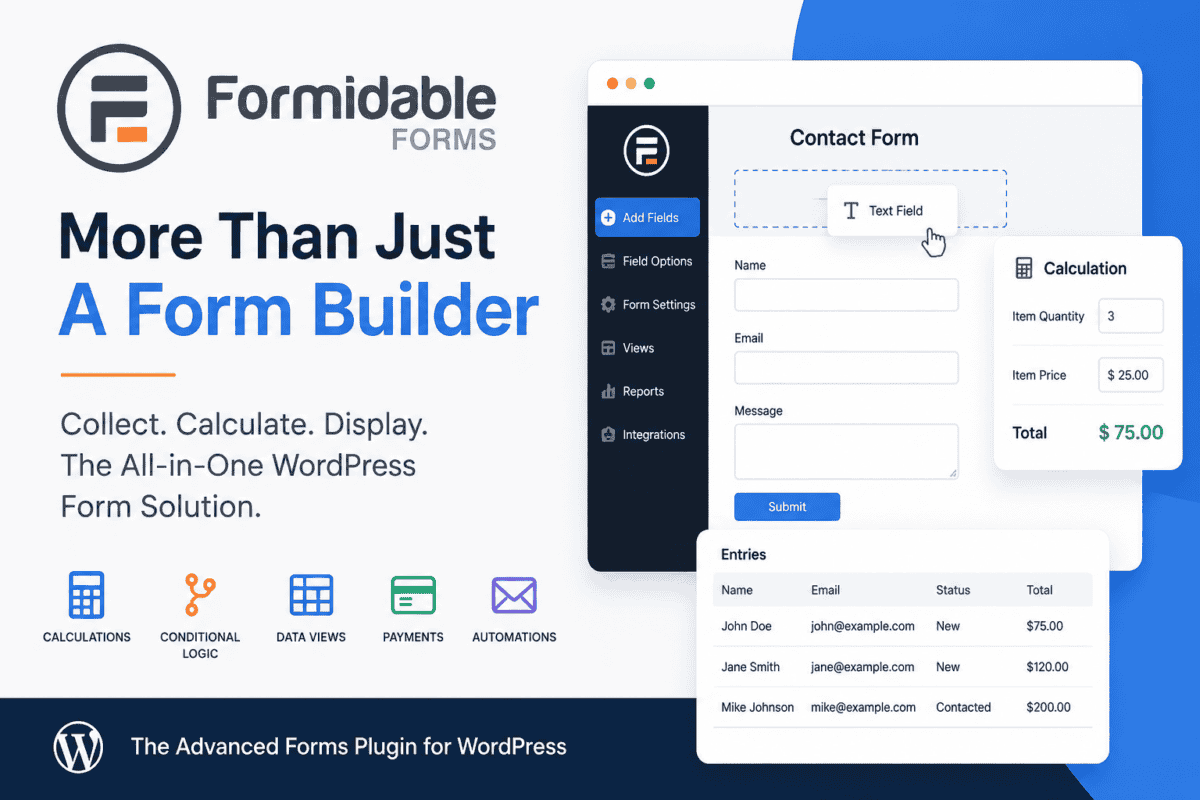
Quick Take: Formidable Forms is a powerful WordPress form builder that goes well beyond basic contact forms. Its drag-and-drop builder makes it easy to create everything from simple contact forms to multi-step applications, surveys, calculators, payment forms, and interactive tools. The free version is a good starting point for basic forms, while the paid versions add advanced features such as calculations, conditional logic, payments, data views, integrations, and automation.
Free Version: Yes
Paid Version: Yes
Best For: Businesses, nonprofits, agencies, and anyone who needs more from their WordPress forms than simply collecting an email address.
What Is Formidable Forms?
There are plenty of WordPress plugins that can put a contact form on your website. Formidable Forms is one of the plugins that starts there and then asks, “What else do you want to do with that information?”
Formidable Forms is a WordPress form builder designed for everything from simple contact forms to more sophisticated, data-driven applications.
At its most basic, you can use Formidable Forms to create a contact form, request-a-quote form, registration form, or other standard website form. But it can also handle calculations, conditional logic, multi-page forms, payments, surveys, quizzes, user registration, file uploads, and more.
One of its more interesting features is the ability to take information submitted through a form and display that information back on your website. With Formidable Views, for example, you can create directories, listings, searchable databases, calendars, and dashboards without having to build the functionality from scratch.
That makes Formidable Forms feel more like a lightweight application-building tool than a traditional contact form plugin.
The Free Version Is Actually Useful
One thing I like about Formidable Forms is that there is a free version available through WordPress.org.
The free plugin allows you to build and test forms without immediately committing to a paid license. You can use it for basic forms and determine whether you like the interface and workflow before upgrading.
That’s important because there are plenty of WordPress form plugins that are essentially free to install, but you often times need the paid version for anything interesting.
Formidable’s free version isn’t going to replace the Pro version for more sophisticated projects, but it gives you a reasonable starting point.
There is also an interesting distinction when it comes to payments. Formidable currently allows payment collection with its free plugin, but charges a 3% transaction fee. A paid Business license removes that Formidable transaction fee, leaving the normal payment processor fees such as those charged by Stripe.
Where Formidable Forms Really Stands Out
1. Calculations
This is one of the areas where Formidable Forms starts to separate itself from a basic contact-form plugin.
You can create forms that perform calculations based on what someone enters.
For example:
- Request-a-quote calculators
- Loan calculators
- Pricing estimators
- Product configurators
- ROI calculators
- Cost estimators
- Order forms
Instead of simply collecting information, the form can actually do something with that information.
That’s particularly useful for businesses that want to give visitors an immediate estimate without requiring someone to manually calculate a price and respond later.
2. Conditional Logic
Conditional logic lets a form change based on what the visitor selects.
For example, imagine a website offering several different services. A visitor selects “Website Maintenance,” and the form displays questions related to website maintenance. Someone selecting “Website Design” gets a completely different set of questions.
This can make complicated forms much easier for visitors to complete because they only see questions that are relevant to them.
Formidable supports conditional fields, redirects, confirmations, and notifications, allowing you to build fairly sophisticated workflows without writing custom code.
3. Multi-Page Forms
Long forms can be intimidating.
Instead of presenting visitors with one enormous page full of fields, Formidable can break the process into multiple steps with progress indicators.
This can be useful for:
- Job applications
- Event registrations
- Surveys
- Customer intake forms
- Membership applications
- Detailed quote requests
The goal isn’t necessarily to make a form shorter. It’s to make a long process feel more manageable.
4. Form Data Can Become Website Content
Most form plugins are designed around a simple workflow:
Visitor fills out form → website receives submission → someone reads submission
Formidable can go considerably further:
Visitor fills out form → WordPress stores the data → website displays and works with that data
With Formidable Views, you can create front-end displays of submitted information, including lists, tables, directories, calendars, and other layouts. You can also provide search and filtering capabilities.
For example, you could build:
- A member directory
- A real estate listing database
- A job board
- An event listing
- A searchable resource directory
- A customer dashboard
- A simple application or database
And you can do much of this without writing a single line of code.
That’s a significant step beyond what most people think of when they hear “form plugin.”
Payments, Donations and Orders
Formidable Forms can also be used to collect payments.
Depending on the license and integrations being used, you can create payment and donation forms using services such as Stripe and PayPal. The plugin supports both one-time and recurring payments, as well as calculations that can determine the amount someone pays.
This opens up some interesting possibilities for nonprofits and small businesses.
For example, a nonprofit could create a donation form where the visitor chooses:
$25 → $50 → $100 → Other Amount
A business could create a quote or order form that calculates the total based on the options selected.
And because the payment functionality is integrated into the form, you don’t necessarily need a separate form plugin and payment plugin to accomplish the same job.
Other Features Worth Mentioning
Formidable Forms has a surprisingly long feature list. Some of the features that may be useful depending on the project include:
- File uploads
- Surveys and polls
- Quizzes
- Digital signatures
- User registration
- Front-end editing
- PDF generation
- Form abandonment recovery
- Repeater fields
- Cascading dropdowns
- Spam protection
- Email notifications
- SMS notifications
- Graphs and charts
- Directories
- WooCommerce integration
- CRM integrations
- Marketing automation
- Zapier integration
- Google Sheets integration
- API and webhook support
Obviously, you won’t need all of these features on every website. That’s actually one of the things worth keeping in mind when evaluating Formidable Forms.
It’s powerful, but if all you need is a simple “Name, Email, Message” contact form, the free version an excellent choice for “just the basics.”
Formidable Forms vs. Other Popular Form Plugins
So how does Formidable Forms compare with some of the other popular WordPress form builders?
There isn’t really one “best” form plugin for every website. The right choice depends on what you’re trying to accomplish.
Formidable Forms vs. WPForms
WPForms is probably one of the strongest competitors to Formidable Forms, particularly for users who want a very beginner-friendly form-building experience.
WPForms puts a strong emphasis on ease of use and includes a large collection of templates. It also has a free version.
Formidable Forms tends to become more interesting when you need advanced calculations, data displays, directories, and other application-like functionality.
General rule: If you primarily need straightforward contact and lead-generation forms, WPForms is worth considering. If you expect your forms to become a more important part of the functionality of the website, Formidable Forms deserves a closer look.
Formidable Forms vs. Gravity Forms
Gravity Forms is another major player, particularly among WordPress developers and agencies.
Gravity Forms and Formidable Forms have a lot in common. Both can handle advanced forms, calculations, conditional logic, payments, user registration, surveys, and other complex workflows.
One significant difference is that Gravity Forms doesn’t offer a free version, while Formidable Forms does.
Gravity Forms also has a very large third-party add-on ecosystem and is known for its developer-oriented extensibility.
General rule: Both are excellent choices for advanced projects. If you’re already comfortable with Gravity Forms, there may not be a compelling reason to switch. If you’re starting a new project and want the ability to build more data-driven functionality directly inside WordPress, Formidable Forms is definitely worth evaluating.
Formidable Forms vs. Contact Form 7
Contact Form 7 is a completely different proposition.
It’s free, lightweight, mature, and extremely popular. If all you need is a basic contact form and you’re comfortable with its interface, Contact Form 7 can still be a perfectly reasonable choice. I do feel this plugin is a bit dated feeling.
But Formidable Forms isn’t really competing with Contact Form 7 on the same playing field.
Contact Form 7 is primarily a form plugin while Formidable Forms is more of a form builder and application-building tool.
What About Performance?
As with any WordPress plugin, “How much does it slow down my website?” is a reasonable question.
The answer isn’t simply that Formidable Forms is fast or slow. It depends heavily on how you use it.
A basic contact form is obviously going to have a different impact than a complicated multi-step form with calculations, conditional logic, payment processing, and multiple integrations.
The same principle applies to almost every sophisticated WordPress plugin: don’t install a feature-heavy plugin just because it has a long feature list.
If you’re building a simple brochure website with one contact form, the free version or perhaps a simpler plugin may make more sense.
If you’re building a website where forms are an important part of the site’s functionality, having those features integrated into one well-supported plugin can actually be preferable to assembling several smaller plugins.
Is Formidable Forms Worth It?
I think it is, especially for the right type of project.
If your website only needs a basic contact form, Formidable Forms can do the job even though there are plenty of simpler options.
Its biggest strength isn’t simply that it can create forms. Plenty of WordPress plugins can do that.
Its strength is that it can collect data, process it, and put that data to work on your website.
For businesses, nonprofits, and agencies building more sophisticated WordPress sites, that can eliminate the need for multiple plugins or custom development.
The Bottom Line
Formidable Forms earns a spot on my list of WordPress plugins worth knowing about.
The free version makes it relatively easy to try without making a financial commitment, while the paid versions open up considerably more functionality.
For a simple contact form, most any plugin will do. But if your form needs to do something, rather than simply collect information, Formidable Forms is a plugin I’d definitely consider.
Contact WPRx today if you need assistance with your site’s contact forms. We’ll be glad to help!
Learn more: https://formidableforms.com/